Organizing Curriculums
Organizing curriculums LMS ensures a structured and efficient learning experience. Here’s how to organize curriculums seamlessly.
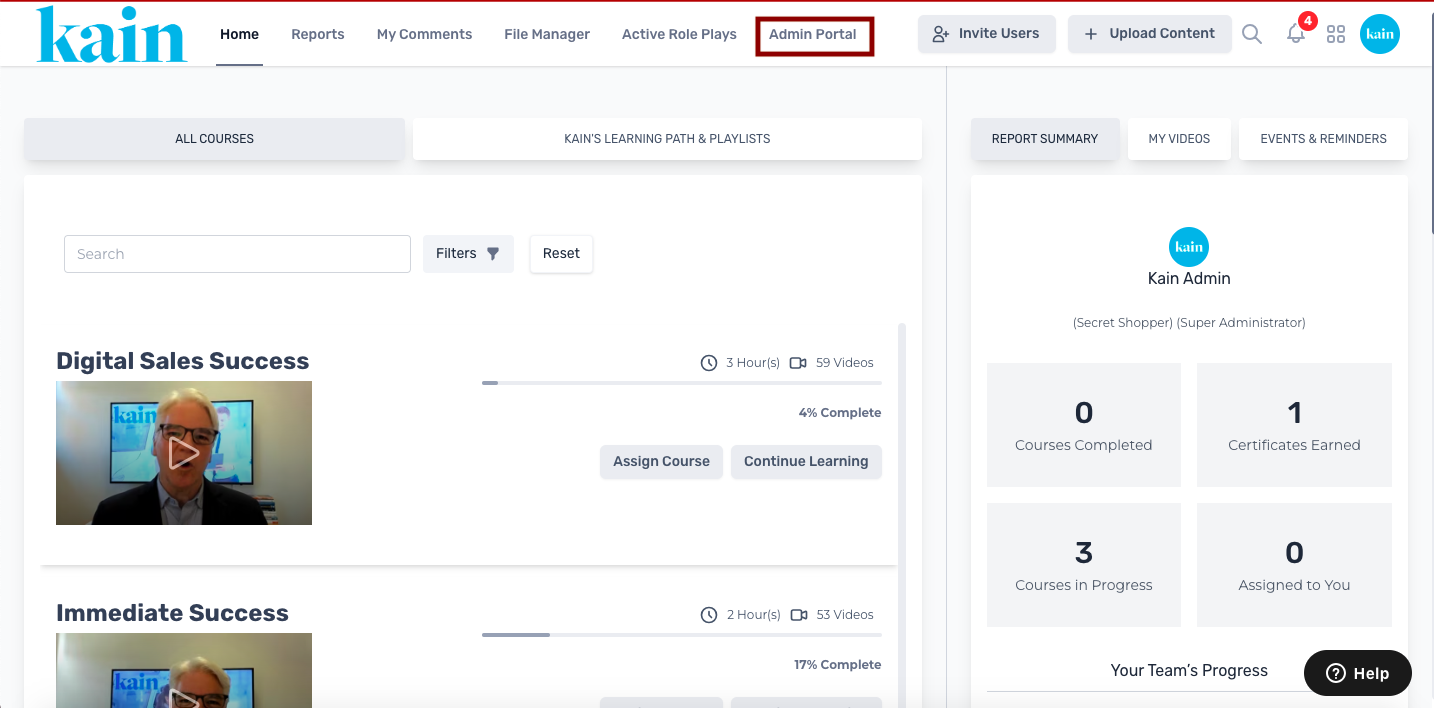
Step 1: Access the Admin Portal
Log in to your LMS account and navigate to the Admin Portal section.
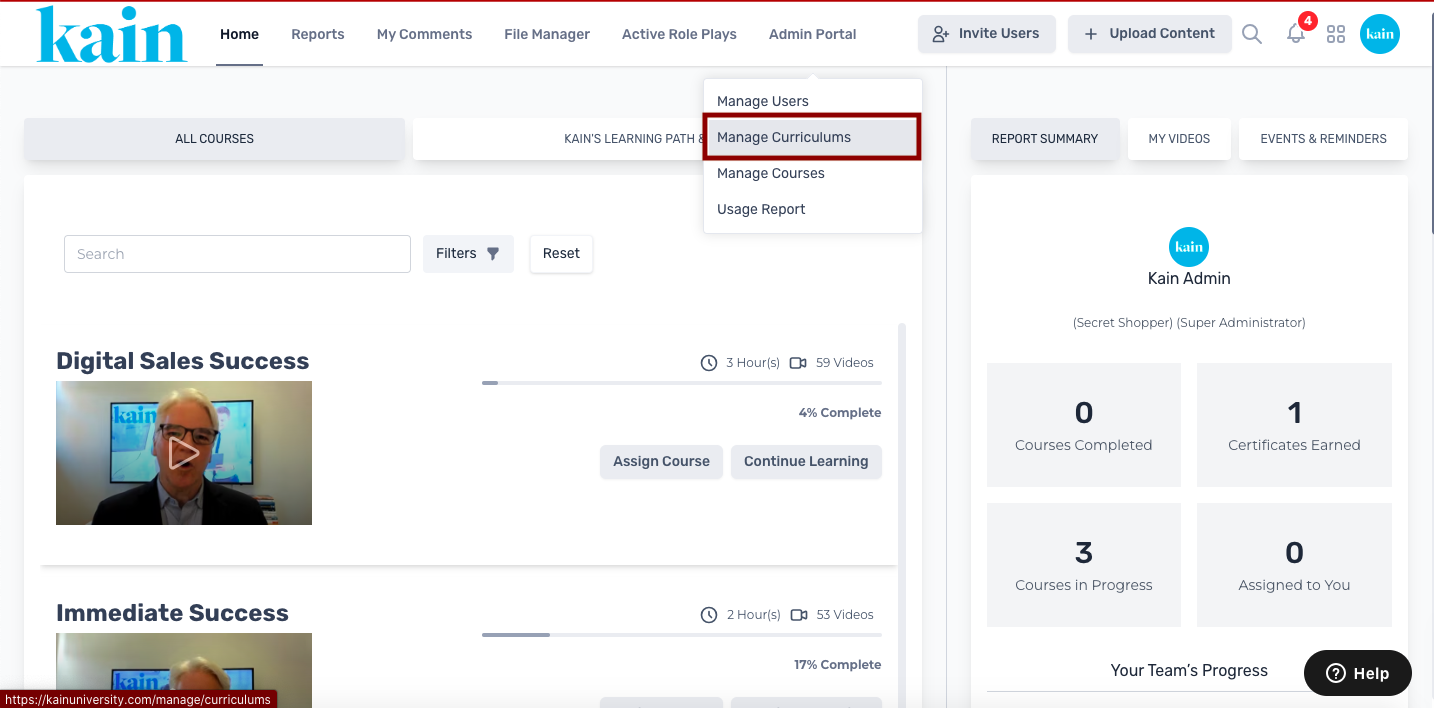
Step 2: Choose "Manage Curriculums"
From the dropdown menu on the Admin Portal, select "Manage Curriculums."
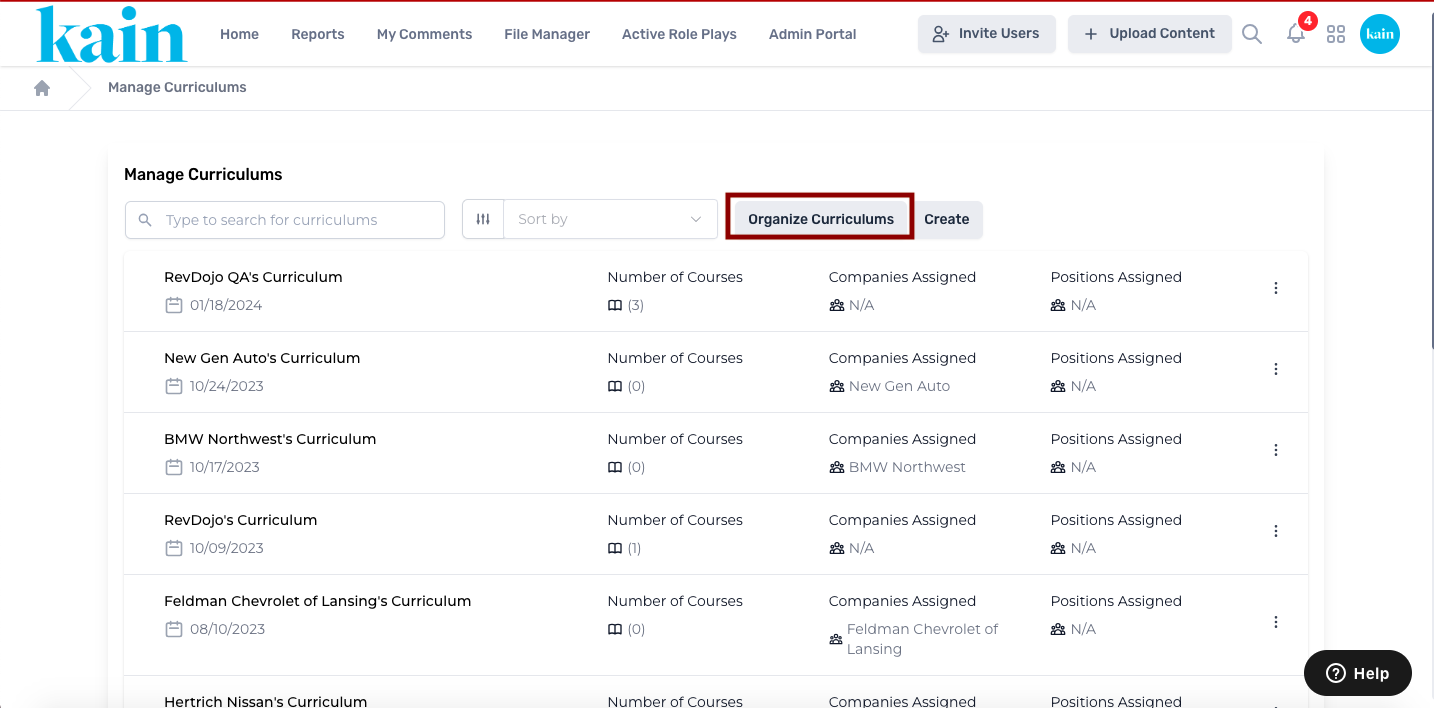
Step 3: Access Curriculum Organization
Within the "Manage Curriculums" section, locate and click on the “Organize Curriculums” button. This initiates the process of arranging curriculums based on your desired order.
Step 4: Drag and Drop Curriculums
Utilize the drag-and-drop functionality to rearrange curriculums in the desired order. Click on a curriculum, hold the mouse button, and move it to the desired position within the list.
Step 5: Apply Sorting Options
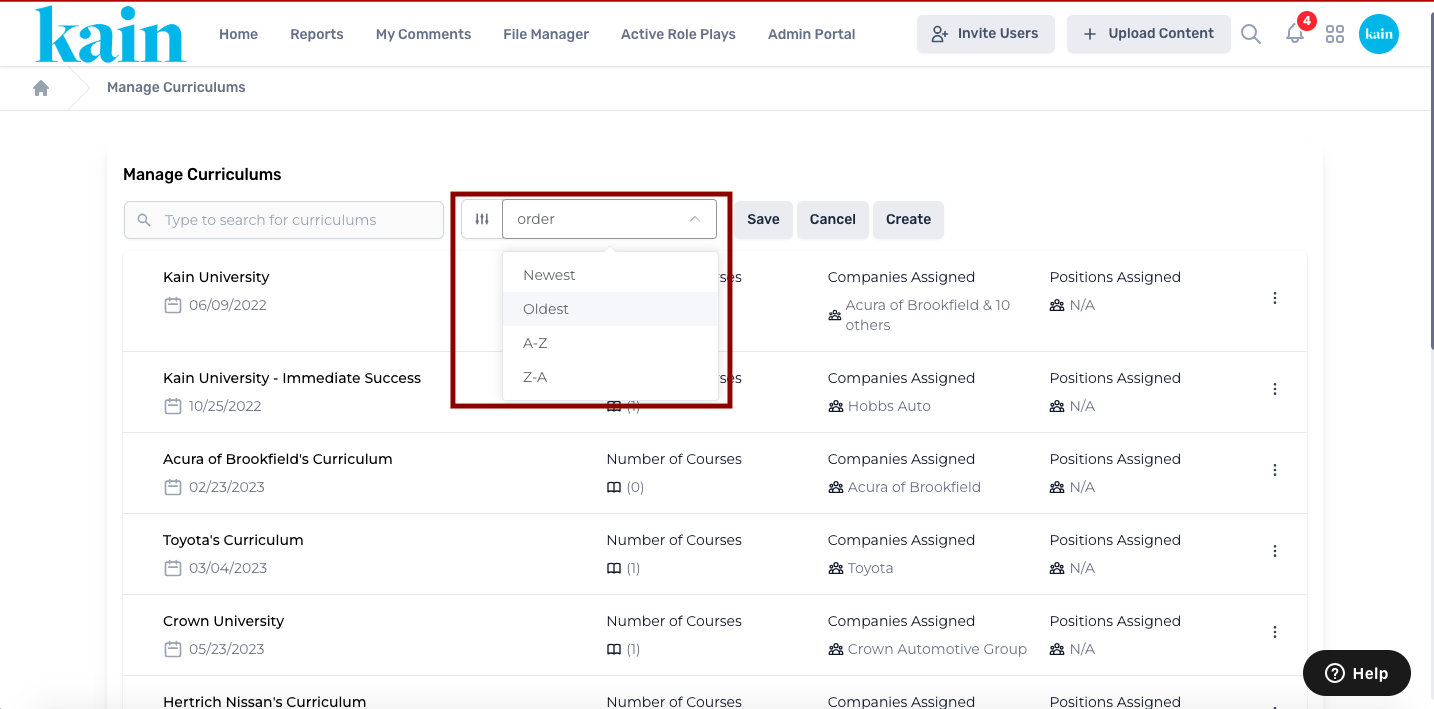
If needed, you can sort curriculums based on different criteria such as Newest, Oldest, A-Z, or Z-A. Choose the sorting option that aligns with your preferences.
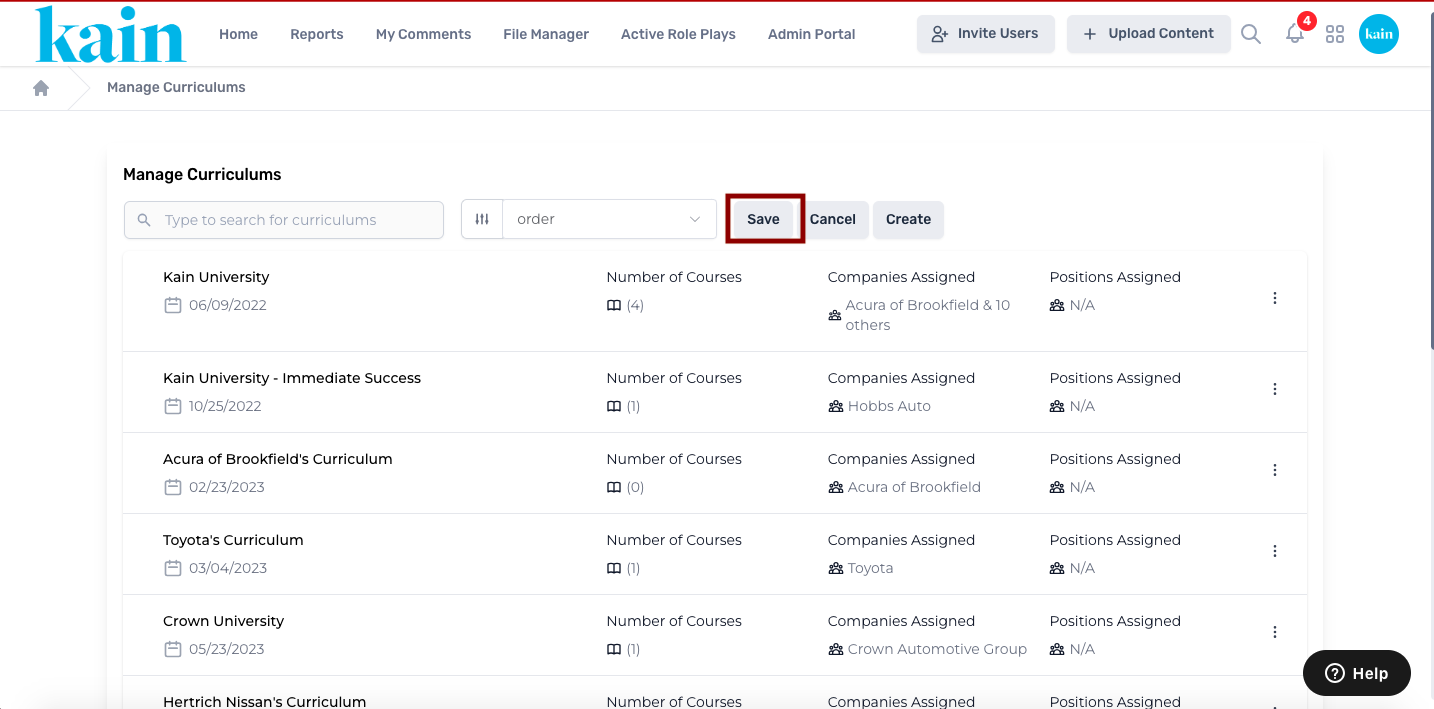
Step 6: Save Changes
After organizing and sorting curriculums according to your requirements, click on the “Save” button to confirm the changes. This ensures that the new order and sorting preferences are applied.