Editing Store Information
Editing store information in your LMS ensures that the platform's data remains accurate and up-to-date, providing a comprehensive overview of your organization's various locations. This section offers a straightforward guide on how to modify store details within the LMS.
Step 1: Locate Store Details
On the search box found on the Store Management Interface, enter the name of the user find the user whose information you want to edit.
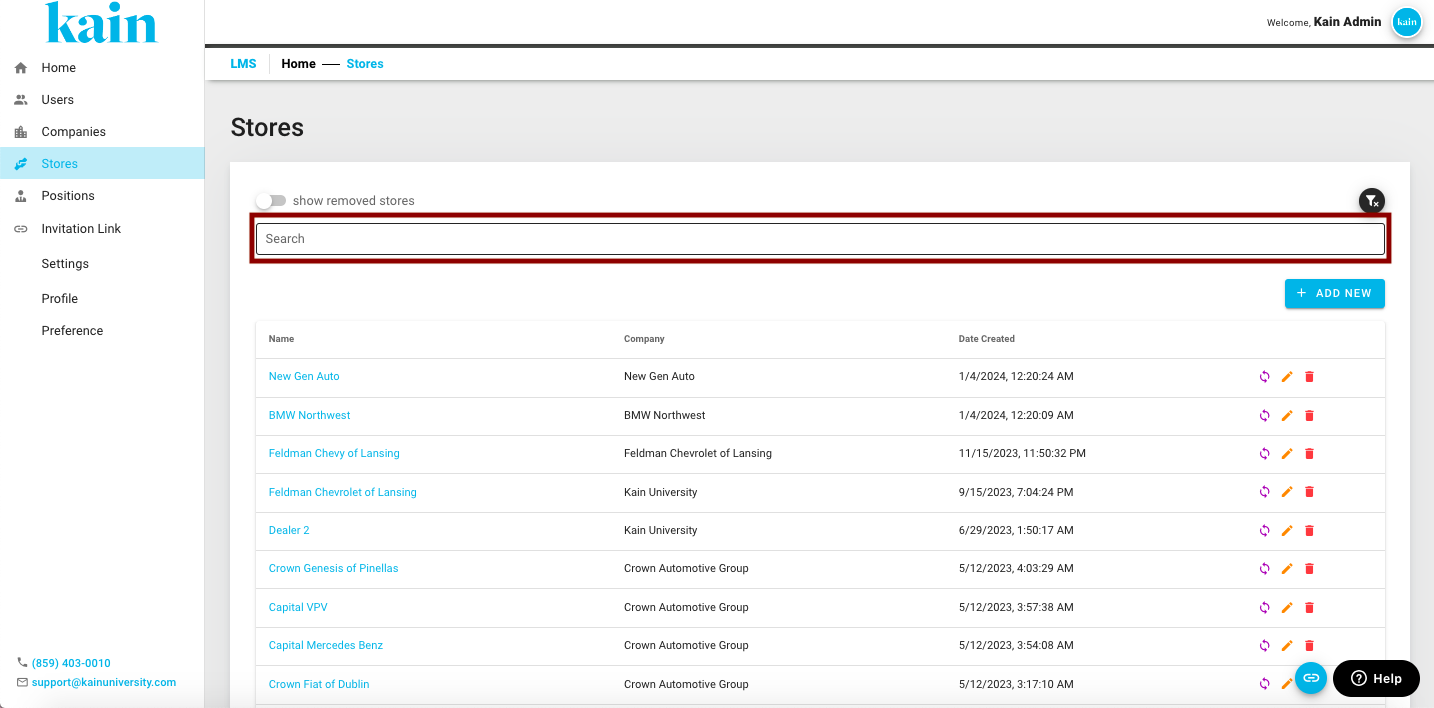
Step 2: Open the Store Profile
Once you've located the user, click on the name.
You will be redirected to their Store Profile
Step 3: Update Information
On the Store Profile, modify the necessary Store details.
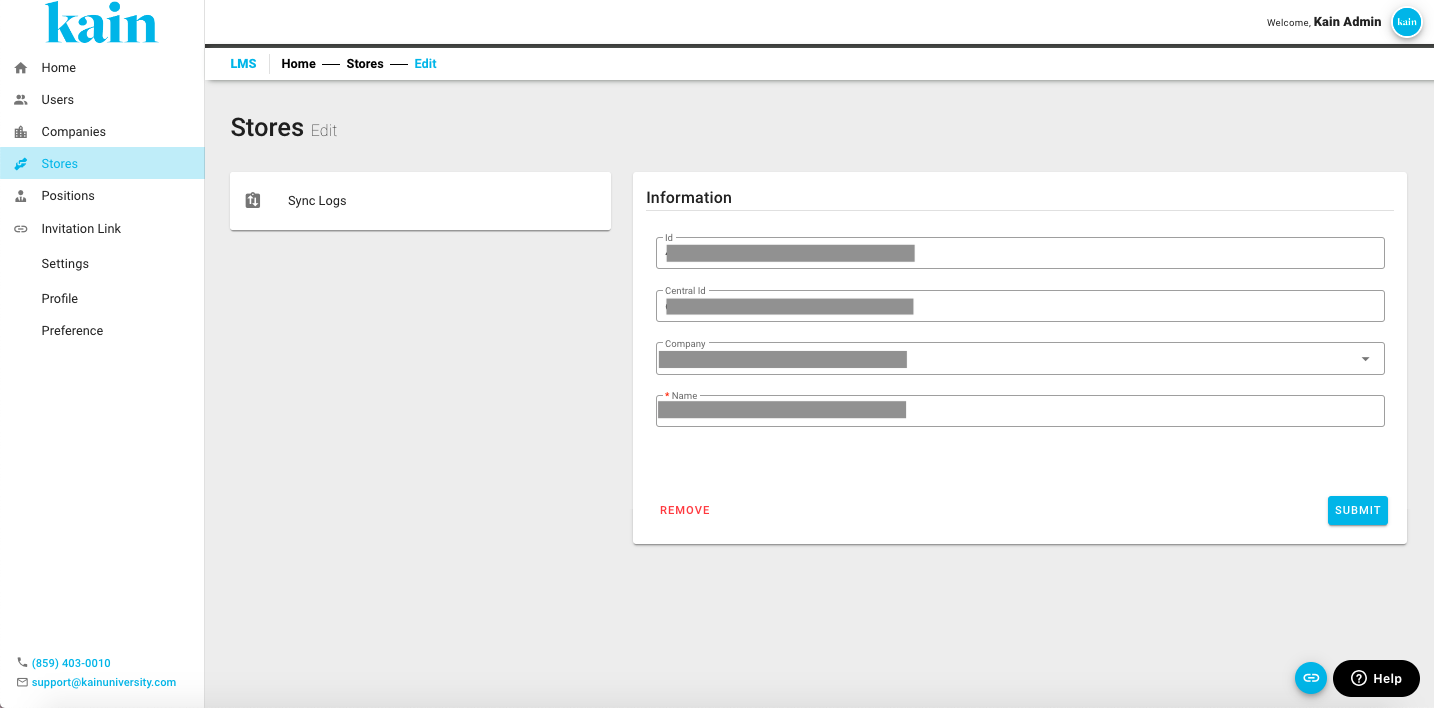
Step 4: Save the Changes
After updating the information, click the “Submit” button to apply the changes to the user's profile.
.png "Screen Shot 2024-02-21 at 10.52.53 AM(1).png")
Step 5: Confirm Changes
Confirm that the user's information has been successfully updated by reviewing the company list.
Ensure that the modifications are reflected accurately in the user details.