Deleting Stores
Deleting stores in your LMS is a crucial task to maintain an organized and relevant database, especially as organizational structures evolve. This section provides a careful guide on how to remove stores from the LMS when necessary.
Step 1: Locate Store Details
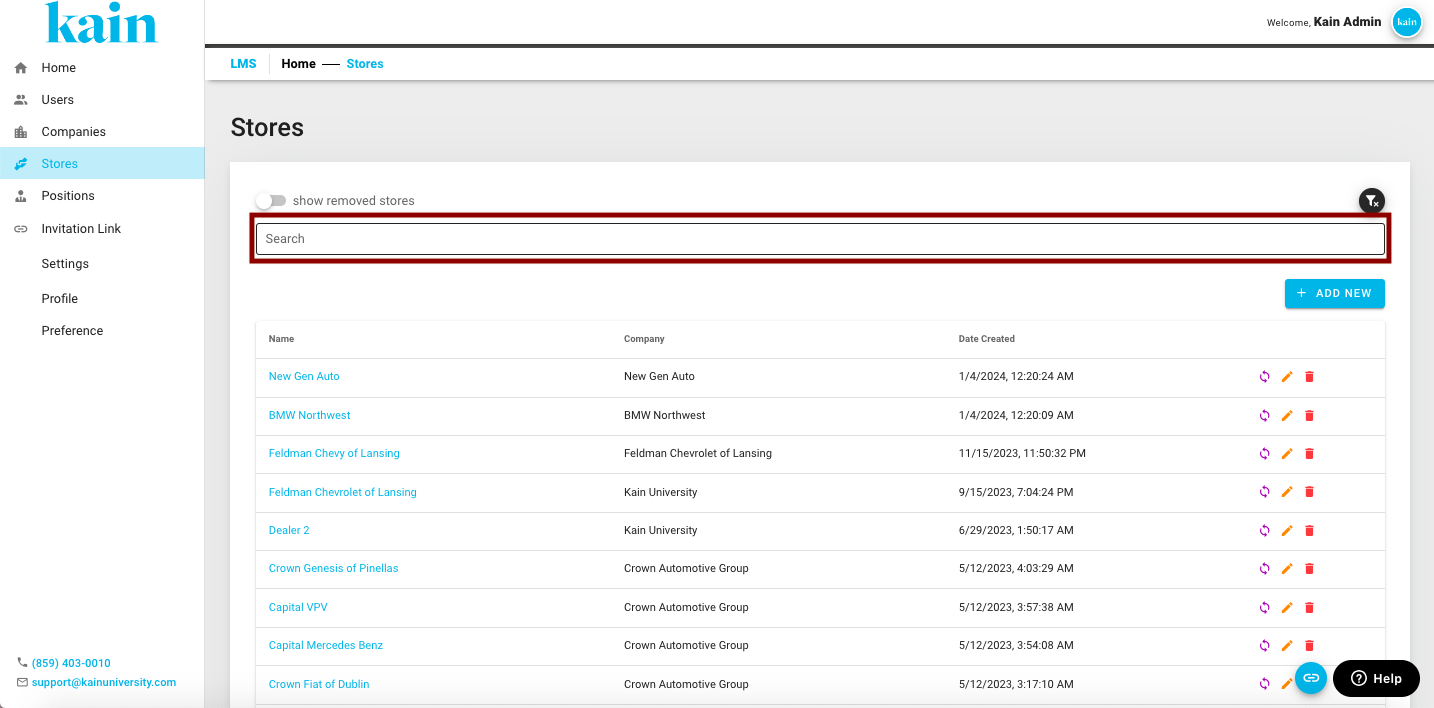
On the search box found on the Store Management Interface, enter the name of the user find the user whose information you want to edit.
Step 2: Open the Store Profile
Once you've located the user, click on the name.
You will be redirected to their Store Profile
Step 3: Remove the Store Profile
Once you've located the user, scroll down to the bottom of the User Profile.
Click on the "Remove" option.
.png "Screen Shot 2024-02-21 at 10.43.22 AM(1).png")
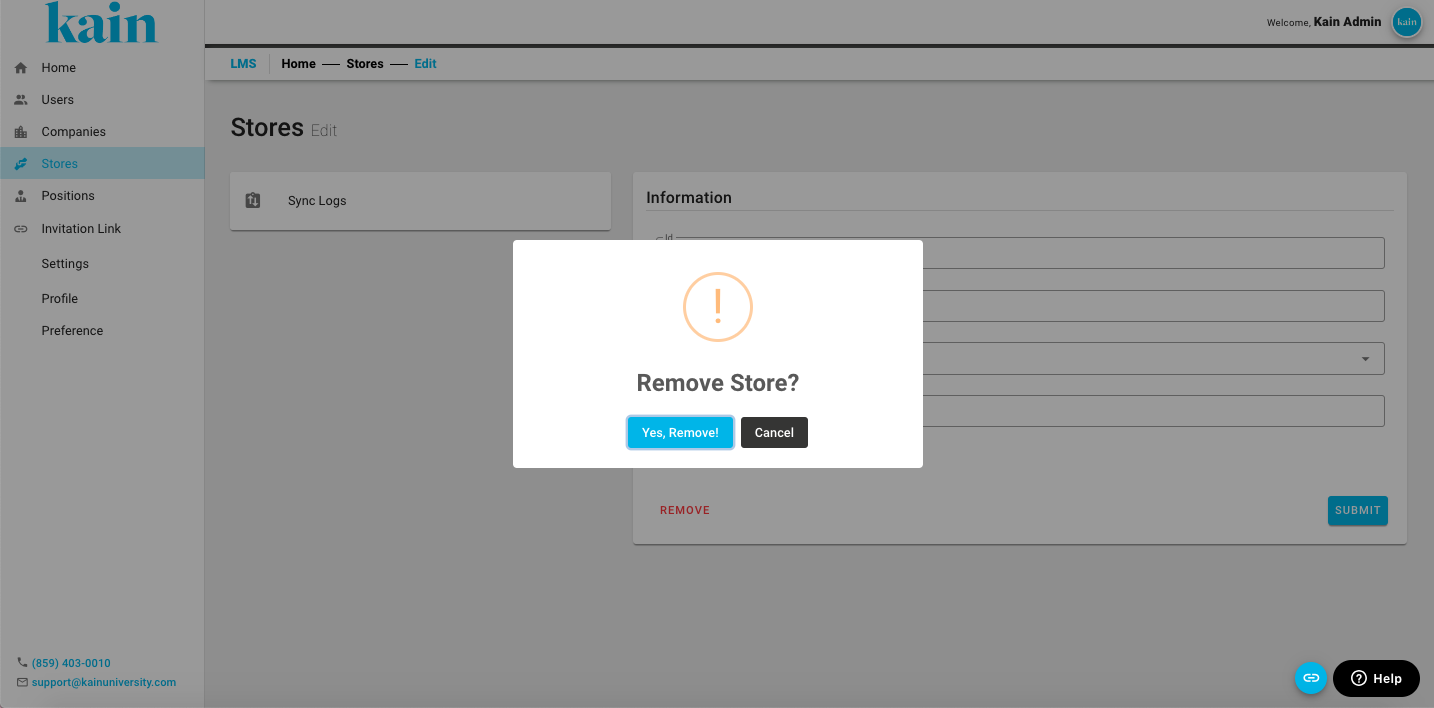
Step 4: Confirm Removal of Store
On the pop-up box, click on the “Yes, Remove!” button to confirm the deletion of the Store Profile.