Creating a Playlist or Learning Path
Playlists are powerful tools that allow you to curate and organize educational content for a seamless learning experience. Whether you're an instructor building a curriculum or a student creating a personalized learning path, this step-by-step guide will walk you through the process of crafting and sharing engaging playlists.
Step 1: Access Your Dashboard
Once logged in, you will be redirected to your dashboard.
On the right hand side of the Dashboard screen, locate the “Learning Path & Playlists” button.
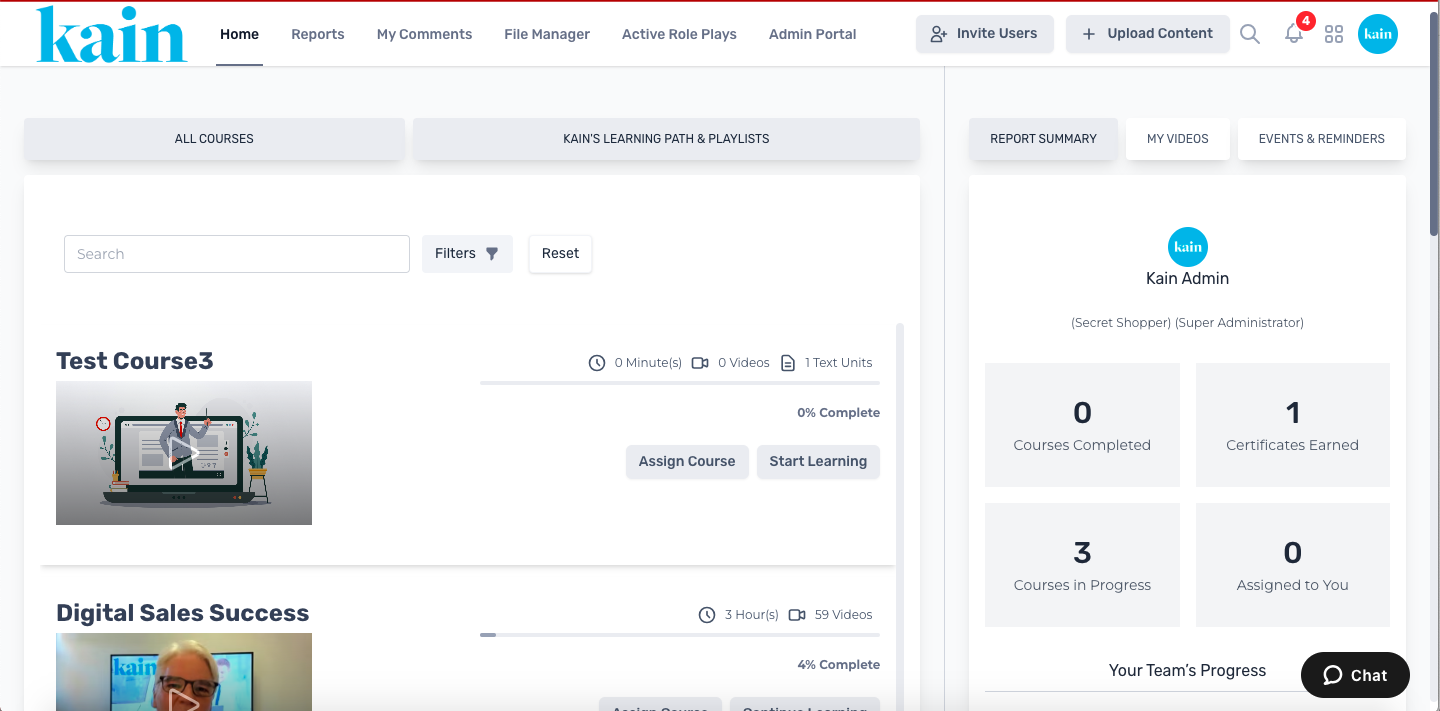
Step 2: Initiate Playlist Creation
Click on the “Create Playlist” button.
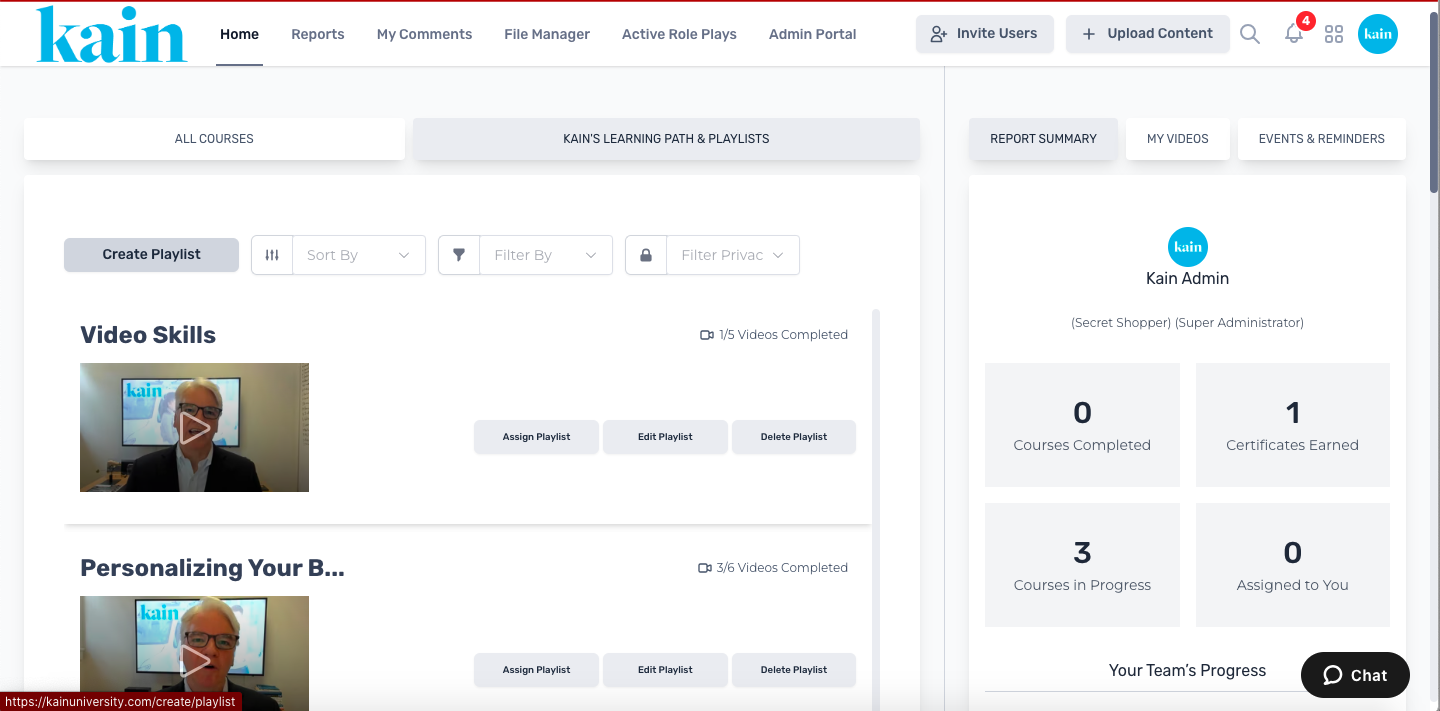
Enter essential details for the new playlist, such as a Title, Privacy Setting, which Users and/or Groups to Assign it, and the Start/End date.
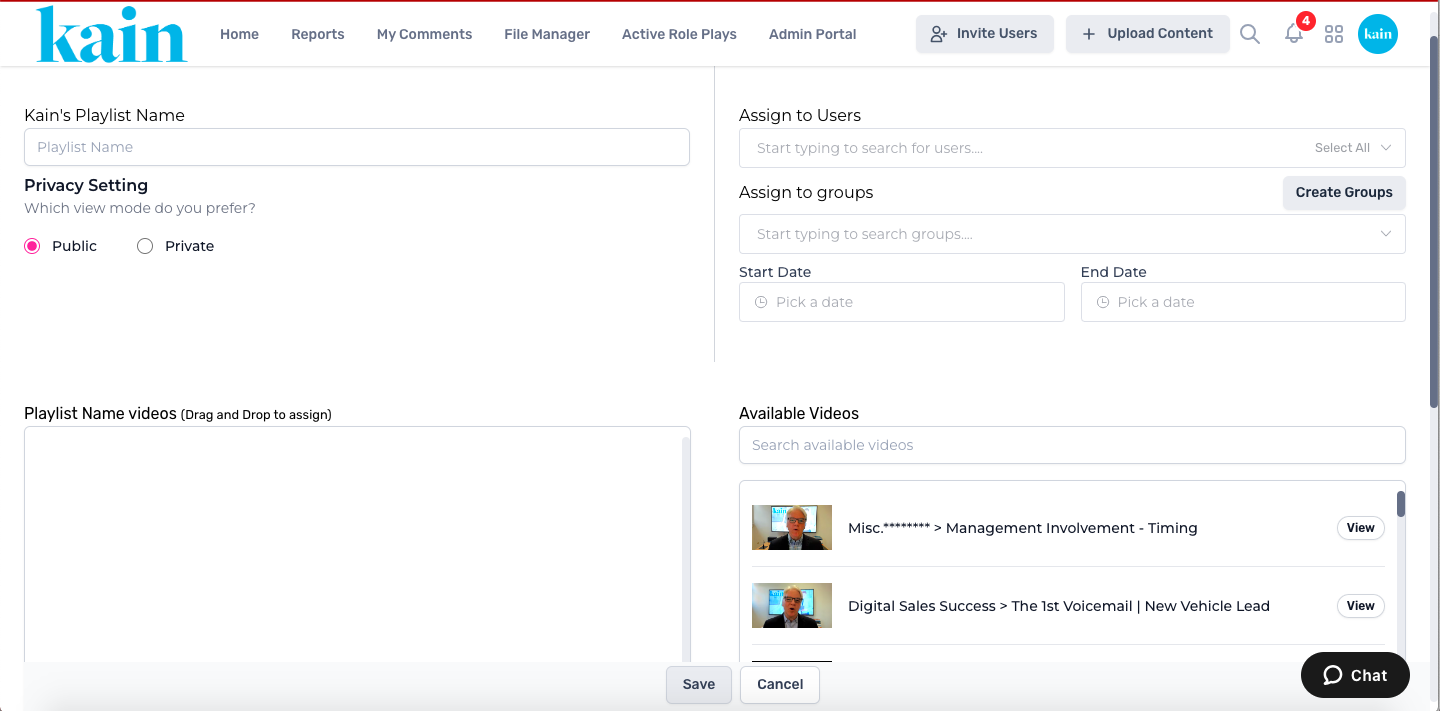
Step 3: Add Content to the Playlist
Explore your existing courses or materials to include in the playlist.
You can search for Available Videos using the Search Box or you can drag and drop videos from the list on the right hand side of the screen.
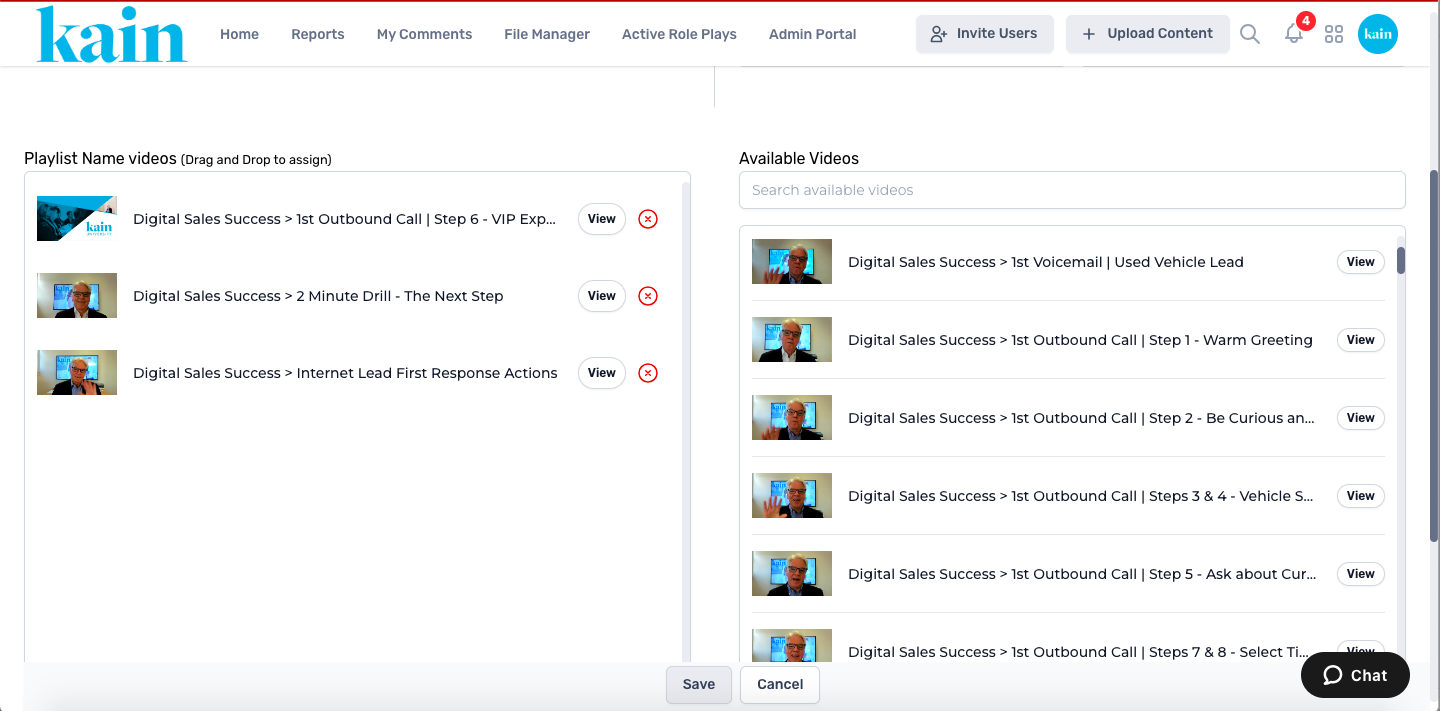
Arrange the sequence of items within the playlist.
Use drag-and-drop functionalities or numbering to organize the content in the desired order.
Step 4: Save and Review
Review the playlist to ensure the content is arranged correctly and the details are accurate.
Click the “Save” button the the bottom part of the screen.