Editing Company Information
Editing company information in your LMS ensures that the platform's data remains accurate and up-to-date. This section provides a simple guide on how to modify company details within the LMS.
Step 1: Locate Company Details
On the search box found on the Company Management Interface, enter the name of the user find the user whose information you want to edit.
You can also set filters and sub-filters to narrow down your search.
.png "Screen Shot 2024-02-21 at 9.42.05 AM(1).png")
Step 2: Open the Company Profile
Once you've located the user, click on the name.
You will be redirected to their User Profile
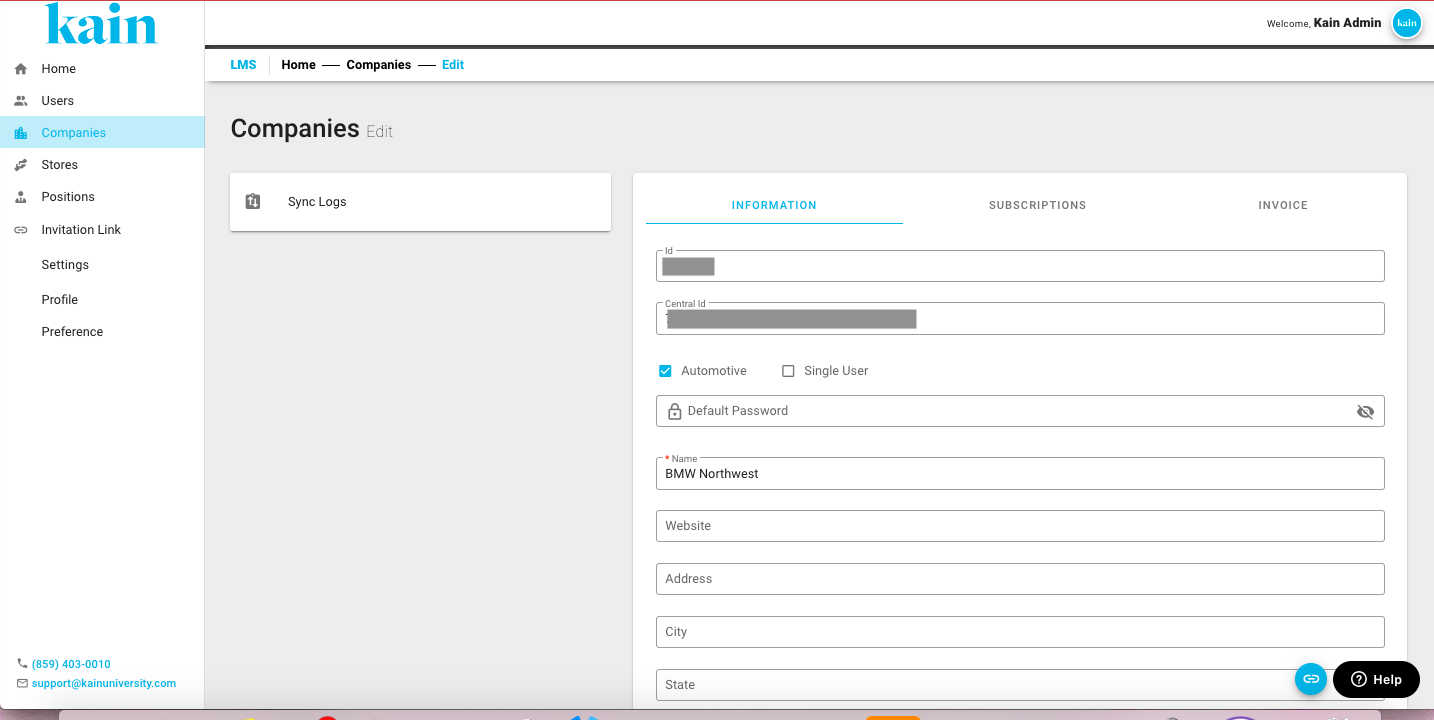
Step 3: Update Information
On the Company Profile, modify the necessary user details.
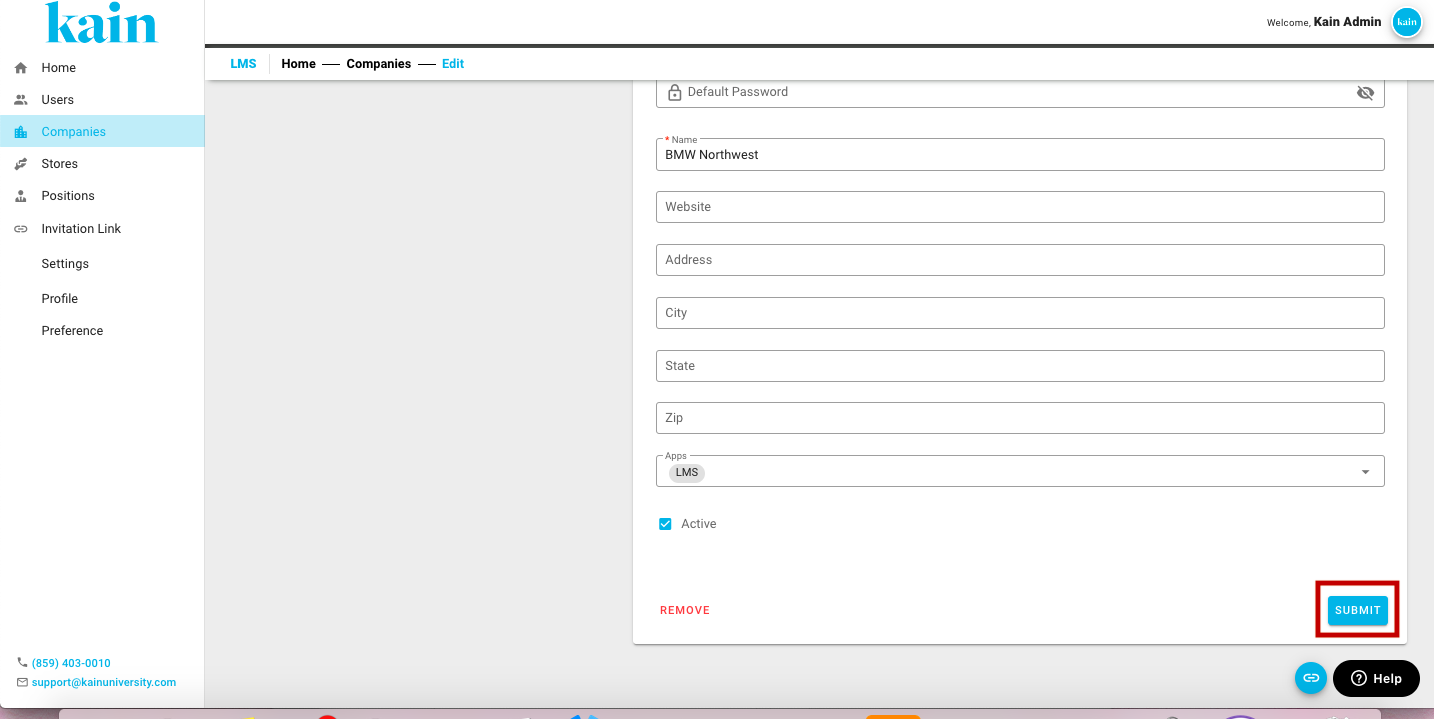
Step 4: Save the Changes
After updating the information, click the “Submit” button to apply the changes to the user's profile.
Step 5: Confirm Changes
Confirm that the user's information has been successfully updated by reviewing the company list.
Ensure that the modifications are reflected accurately in the user details.