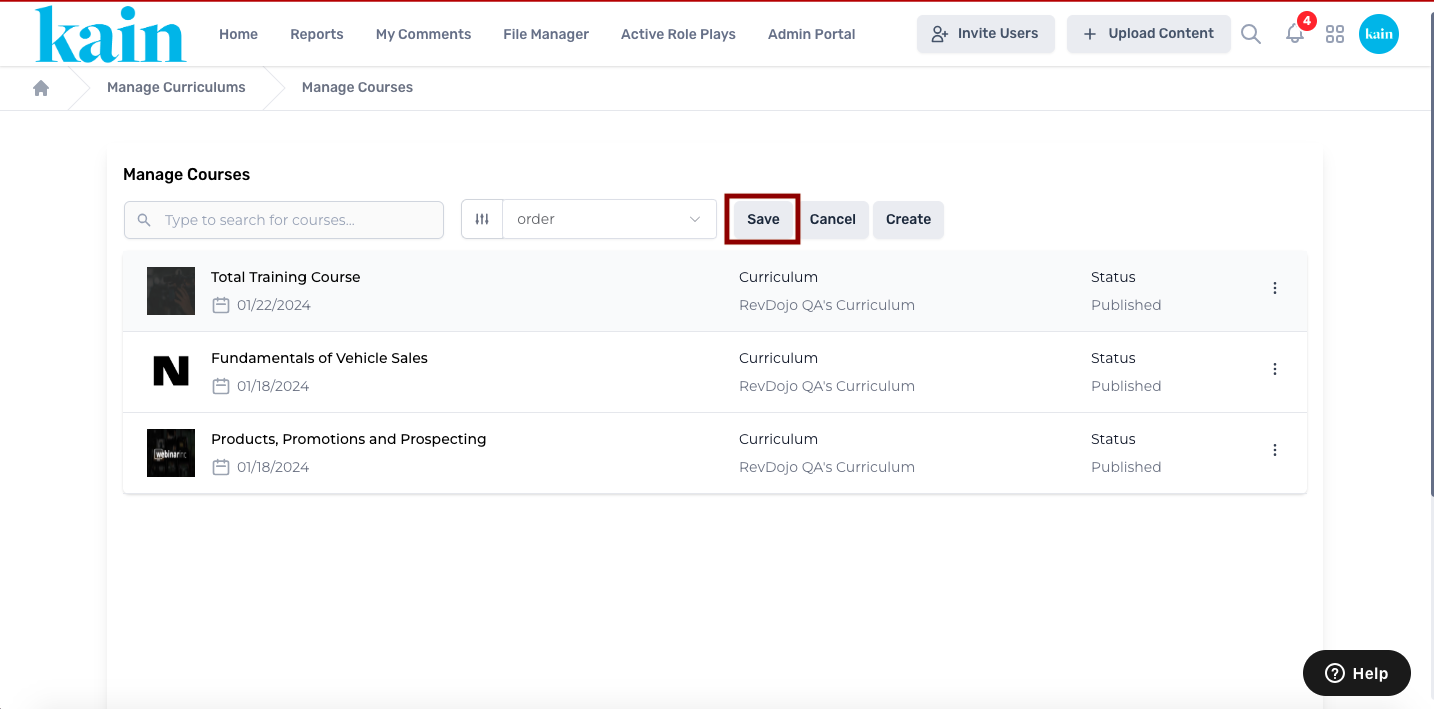
Managing Courses in a Curriculum
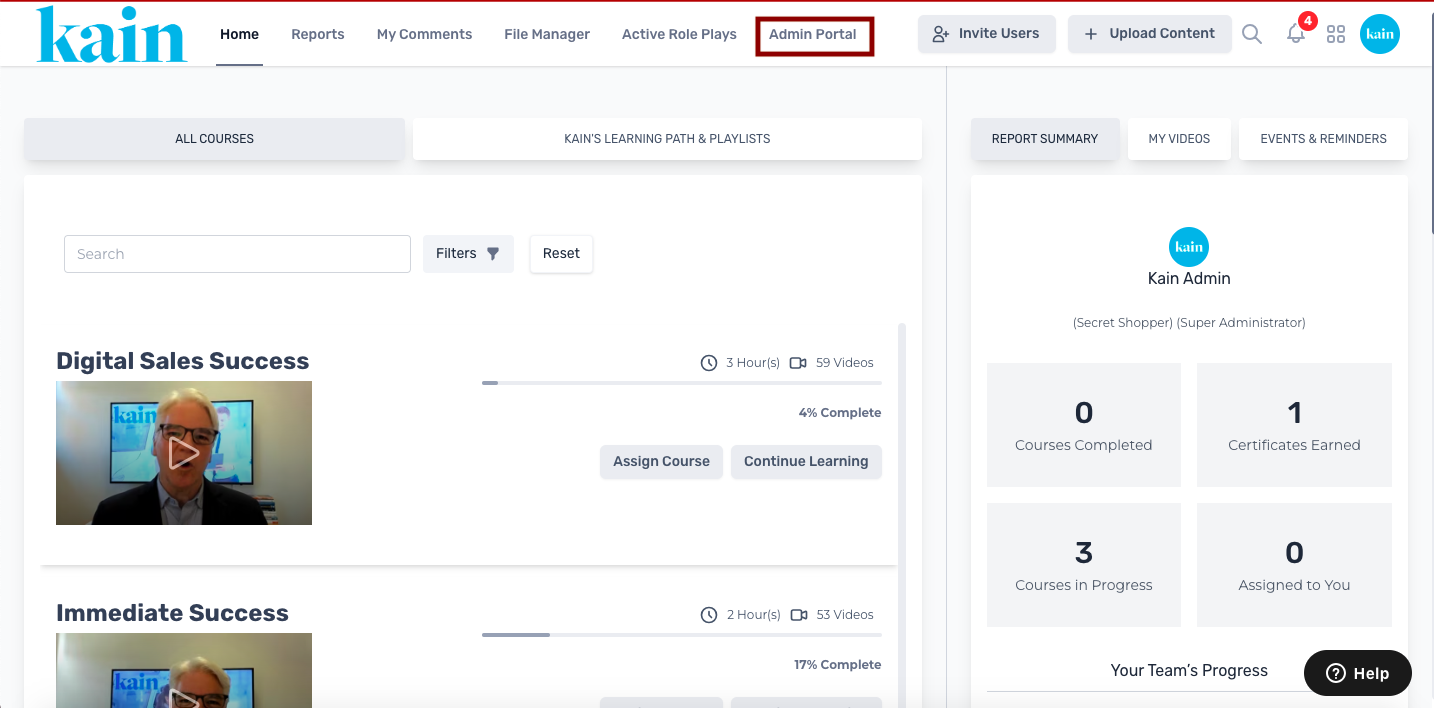
Step 1: Access the Admin Portal
Log in to your LMS account and navigate to the Admin Portal section.
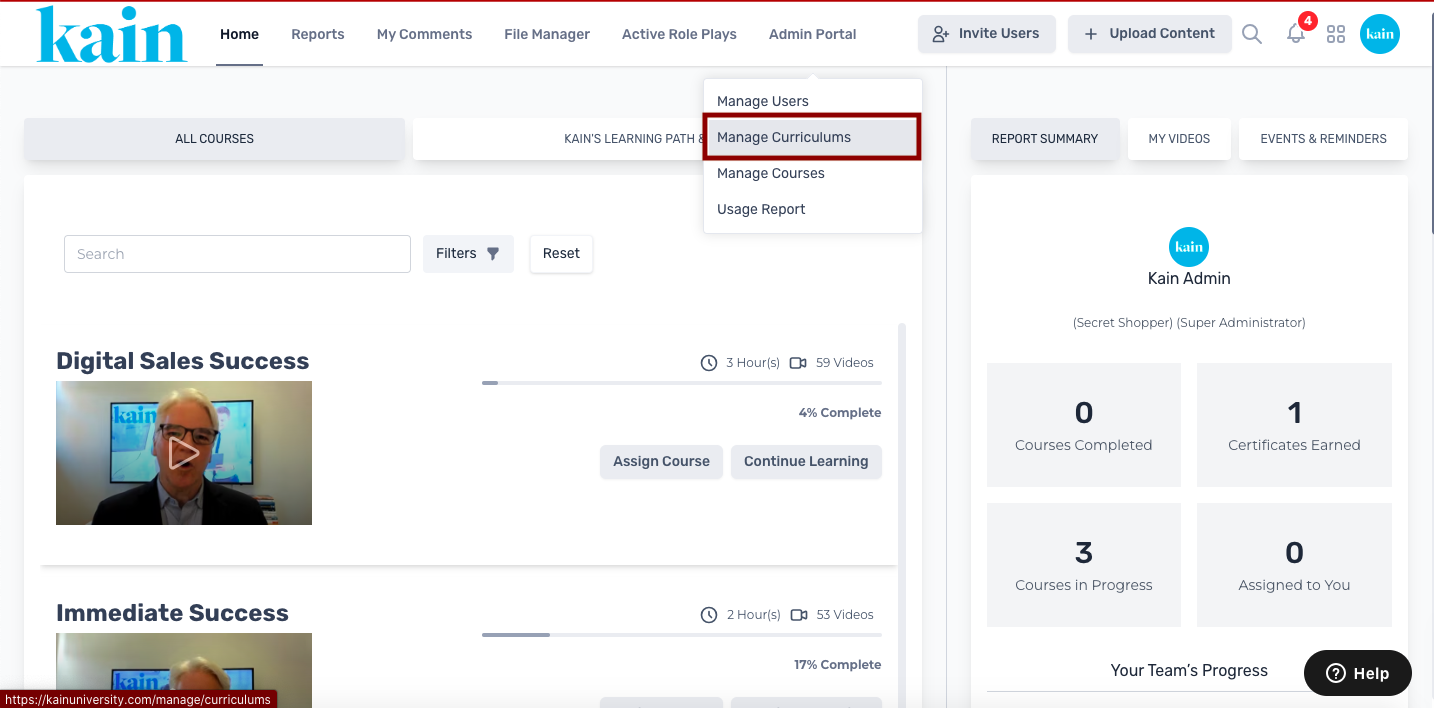
Step 2: Choose "Manage Curriculums"
From the dropdown menu on the Admin Portal, select "Manage Curriculums."
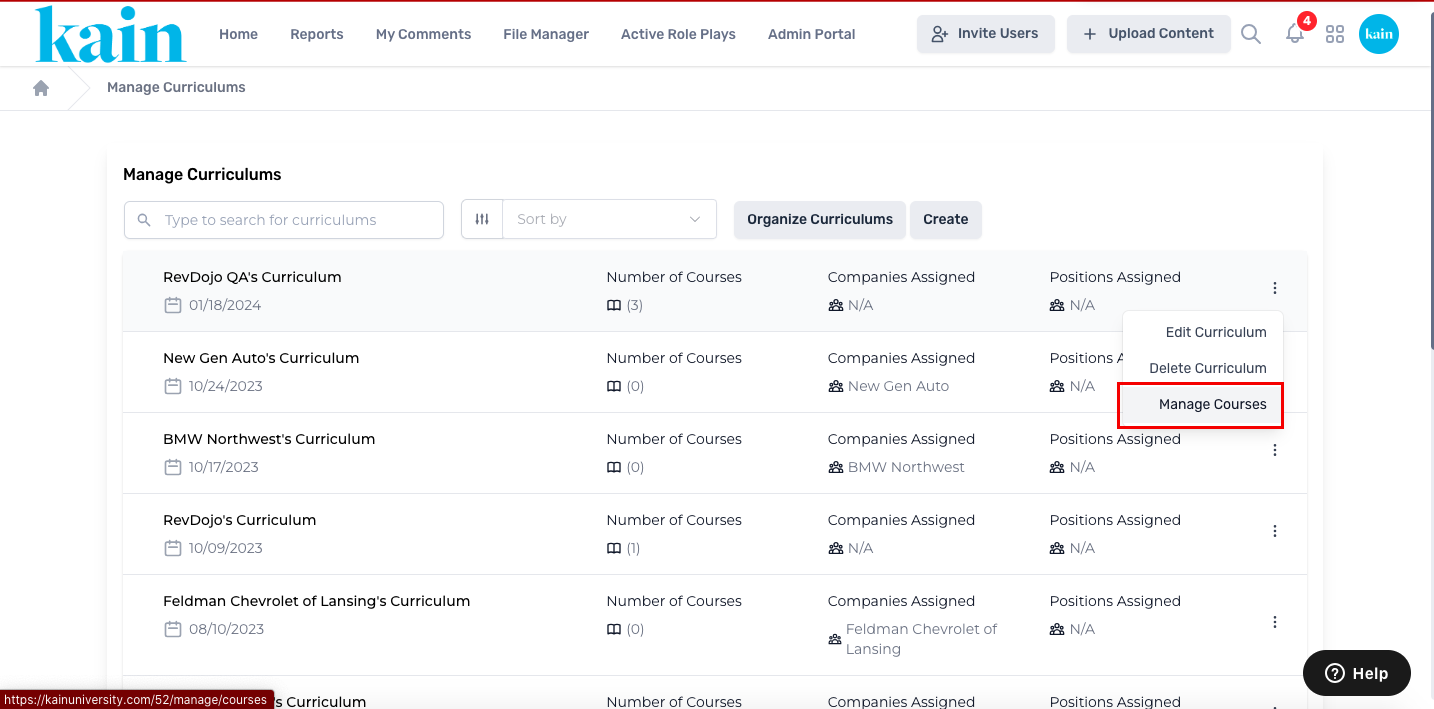
Step 3: Locate the Curriculum
On the Curriculum Management page, find the curriculum you wish to edit. Utilize the search box by entering the curriculum name or scroll down to locate it.
Click on the “kebab menu” (three dots) next to the curriculum you want to edit.
On the dropdown menu, click on “Manage Courses”.
Step 4: Arrange Course Order
Within the Manage Courses page, click on the “Arrange” button to reorganize the order of the courses.
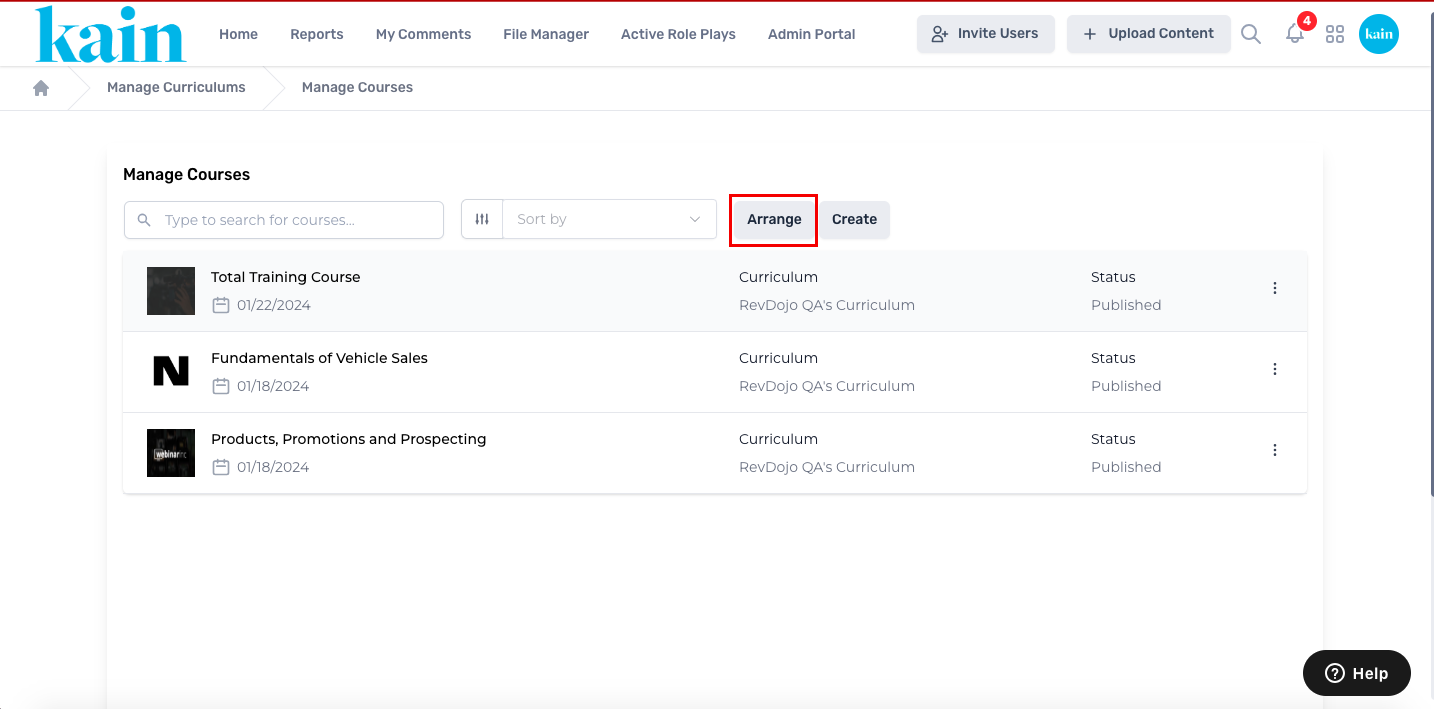
Drag and drop courses based on your desired order.
Step 5: Save Changes:
After arranging the courses, click the “Save” button to apply and save the changes.